セル単位でプレイヤーを動かす。十字キーで上下左右に移動。 http://dl.dropbox.com/u/5435697/Unity/2011-11-28/2011-11-28.html
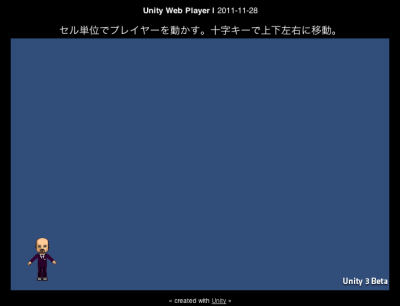
var player : GameObject;
var cell : int = 160;
var moveTime : float = 0.3;

private var state : String = "stop";
private var timer : float = 0;
private var px : int = 0;
private var py : int = 0;
private var vx : int = 0;
private var vy : int = 0;

function Start () {
    iTween.MoveTo(player, {"x":(px+0.5)*cell, "y":(py+0.5)*cell, "time":0});
}

function Update () {

    if (state == "stop") {

        vx = vy = 0;
        if (Input.GetKey("left")) vx = -1;
        else if (Input.GetKey("right")) vx = 1;
        else if (Input.GetKey("down")) vy = -1;
        else if (Input.GetKey("up")) vy = 1;

        if (vx != 0 || vy != 0) {
            px += vx;
            py += vy;
            state = "move";
            timer = moveTime;
        }
    }

    if (state == "move") {

        timer -= Time.deltaTime;
        iTween.MoveTo(player, {"x":(px+0.5)*cell, "y":(py+0.5)*cell, "time":moveTime+0.1});

        if (timer <= 0.0) {
            vx = vy = 0;
            state = "stop";
        }
    }

    Debug.Log(player.transform.position.x + ", " + player.transform.position.y);
}
[amazonjs asin="4797347090" locale="JP" title="パズルゲームアルゴリズムマニアックス"]
